Making a tree talk
A talking tree built with projection, animation, a Raspberry Pi, and a voice agent, with lessons from the build.
The idea started with the faces I already have on the trees at home. I wanted to bring one of those faces to life and give it a voice.
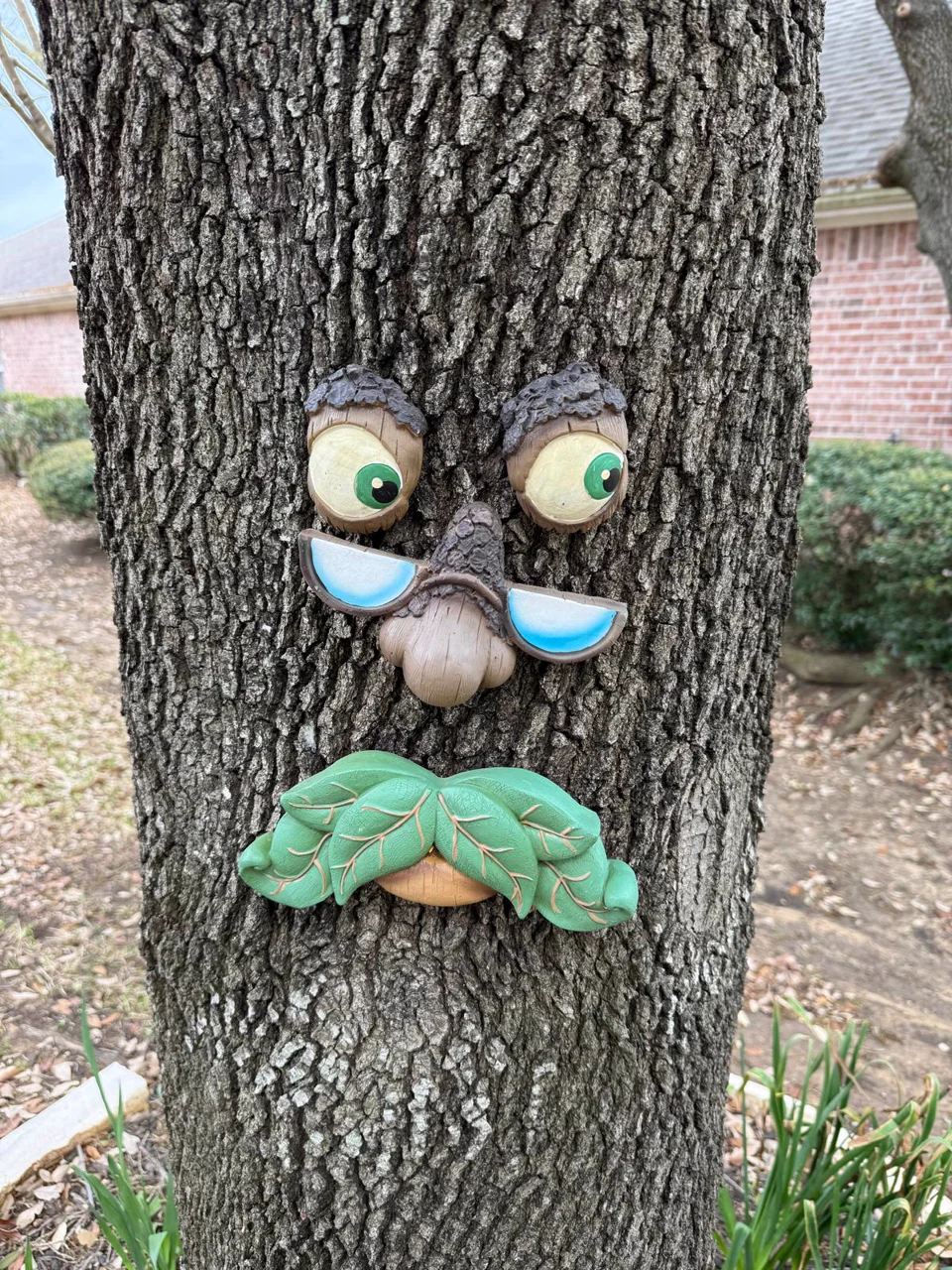
The starting point: one of the faces on my trees.
I grew up in Carúpano, a small town in Venezuela. Sitting on the porch at dusk and talking with a neighbor passing by was a thing. The conversations could be simple: the weather, the news, a compliment about how someone looked, a greeting, some good wishes. I left the news out of Raphael’s repertoire, though. Politics, haha.
I built a talking tree to bring some of that feeling to the front of our house. It greets people passing by with a cheerful Christmas tone and chats with anyone who stops. A little of that porch conversation, coming from a face projected onto a tree.
Bringing the face to life meant making it blink, follow people with its eyes, listen, and move its mouth as it speaks. Then came the interaction: deciding when to greet someone, when to listen, and when to let the conversation end.
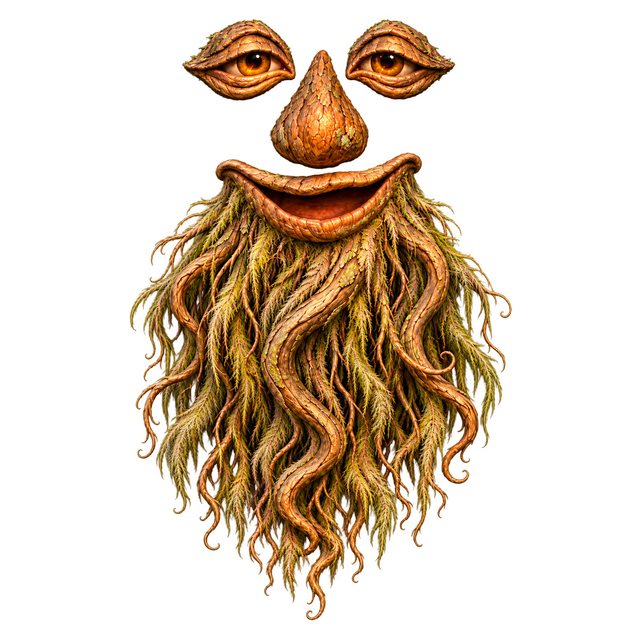
The result is Raphael, a tree with a wooden face and a beard of tangled roots. This is the story of how I built him, what the tests taught me, and the work on recording performance that followed.
In this entry
- Starting with a face
- Giving it a voice
- Different versions of Raphael
- A little memory
- Taking the browser to the projector
- Seeing what the Pi is doing
- One camera isn’t giving me the experience I want
- Deciding when to wake up
- Connecting Raphael to the house
- Recording the interaction is getting in the way
Starting with a face

Raphael in motion. A silent loop captured from the browser demo, showing the mouth animation, blinking, and moving roots before physical projection.
I started with an animated projection demo: a face on black, with blinking eyes, a moving jaw, and swaying roots. I tested the animation on its own, then connected the camera, microphone, and live conversation.
I’m using Nuxt for the web app and Three.js for Raphael’s animation. The character starts as a single image placed on a mesh. Moving parts of that mesh bends the mouth, jaw, nose, and beard. A shader handles the eye movements and blinking.
That means I can work with the face I already have without building a complete 3D character. Small movements do a lot of the work: a blink while waiting, eyes turning toward someone, a mouth opening as a reply begins.
Raphael’s eyes also track people. The camera’s face detections guide his gaze as he looks toward someone and follows their movement in front of the tree.
Giving it a voice
Raphael is a voice agent built on the OpenAI Realtime API. The browser sends microphone audio over WebRTC and plays the response through the speakers. The outgoing voice audio also drives the mouth animation.
The agentic part is the model choosing when to call an available tool during a conversation. We give it descriptions of what each tool does and the inputs it accepts. When it requests an action or information, the result comes back for it to use in its reply. MCP, the Model Context Protocol, connects it to integrations such as weather and Home Assistant. Our Nuxt backend checks which tools the character and installation are allowed to use.
Our own logic controls the wake and idle conditions, greeting timing, repeat-greeting cooldowns, and automatic lighting changes. The model chooses how to express the character within those rules and can request permitted tools during a conversation.
For the porch feeling I had in mind, I added a weather MCP tool and access to the device’s local date and time. I also supply a fresh camera view for greetings, giving Raphael visible details to comment on, such as someone’s outfit. His greeting instructions call for warmth and Christmas cheer, with room for a compliment, holiday wishes, or a useful weather comment when the available information supports it. He chooses the wording for each encounter.
Those details need evidence: a compliment should come from what the camera actually shows, and a weather comment from the supplied weather information. The same tool setup also lets the character look up its knowledge and request facial gestures to accompany a reply.
I also added gestures such as a blink, an eye roll, and a raised brow to give replies more expression alongside the mouth animation.
Raphael has a Christmas storyteller personality. The character instructions shape how he introduces himself, greets people, and carries on a conversation. I can work on those instructions separately from the animation. A face and a voice give him a presence; the way he responds gives him a personality.
Different versions of Raphael
Testing the character led me to create several variations of Raphael. I designed one with a Venezuelan personality. Those versions helped me separate the parts that make up an interactive character.
I’ve come to see four parts that need to work together:
- Appearance: how the character looks and moves.
- Personality: how it expresses itself, including its voice, tone, and way of speaking.
- Knowledge: what it knows, what it can talk about, and how it can help someone.
- Interaction instructions: how it takes turns, when it wakes up, and when it goes idle.
I change the personality independently of the face, and give each character knowledge about its subject. I test those changes through actual encounters: someone approaches, starts talking, pauses, or walks away.
I keep the personality and knowledge in Google Docs that my wife and I both have access to. We can edit them often as we test: adjust how Raphael expresses himself, add things he should know, and refine what he can talk about. Keeping those documents separate from the animation makes it easier for both of us to tune the character.
A little memory
We also added memory. Raphael follows earlier turns during a conversation. Explicit remember and recall tools store short, non-personal notes a visitor asks him to keep in the current display session. Those notes expire an hour after the last save and reset if the server restarts.
For returning guests, there’s an optional layer: with their permission and a verified recognition match, a character can save up to five short, dated topic notes. They expire 30 days after being last discussed and saved. That gives Raphael a way to pick up a previous conversation, using a few topic summaries.
Memory for returning guests depends on recognizing the right person. The camera, lighting, and distance therefore affect when those saved topics are available in the outdoor setup.
Taking the browser to the projector
The physical setup uses a Raspberry Pi 4, a projector, a USB camera and microphone, and a powered speaker. The Pi runs Chromium fullscreen, displays the face, and handles the connected audio and camera. The live conversation still needs a network connection.
I use Ansible to set up the Pi as a kiosk so it can boot into the display. The projection can be repositioned and scaled to fit the surface, and the audio timing can be adjusted to bring the voice and mouth closer together.
The Pi also follows a schedule. At dusk, it turns on the projector through HDMI control and activates the experience, ready for people passing the house. That daily startup gets the installation running; the wake and idle rules handle individual encounters during the evening.
I used the browser demo to work on expressions, then tested them with the projector on physical surfaces and on the tree itself.
Here’s a recording from my first attempts, with Raphael projected onto the tree outside.
One of my first projection tests. The wider view shows the projector and the tree; moving closer gives a better look at the face on the bark. Play with sound for the original recording.
Wiring the speakers
The speaker installation had its own workbench stage. These photos are from the cable and connector work on the patio table, getting the sound side of the setup ready.
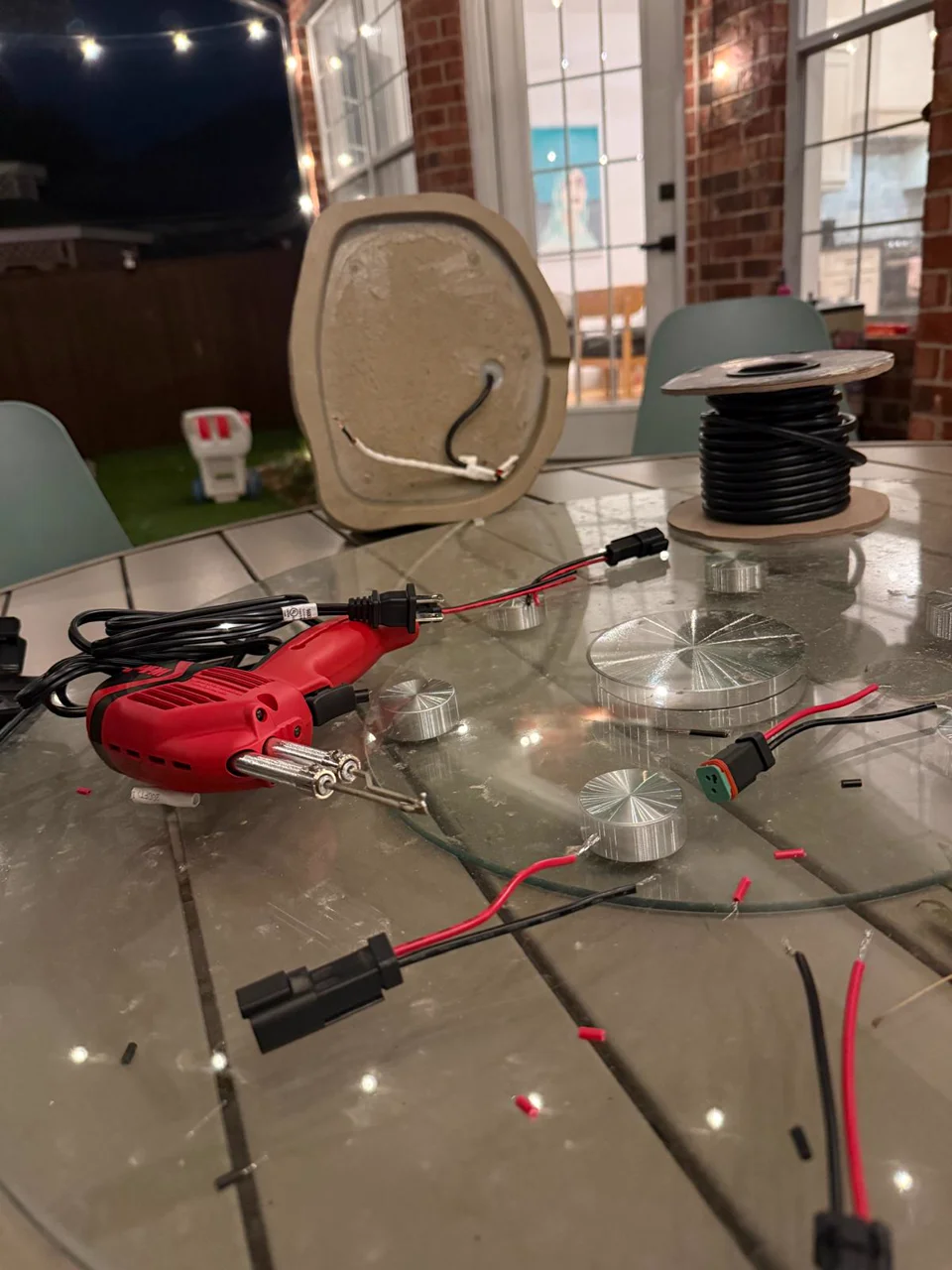
The patio table during the speaker installation.
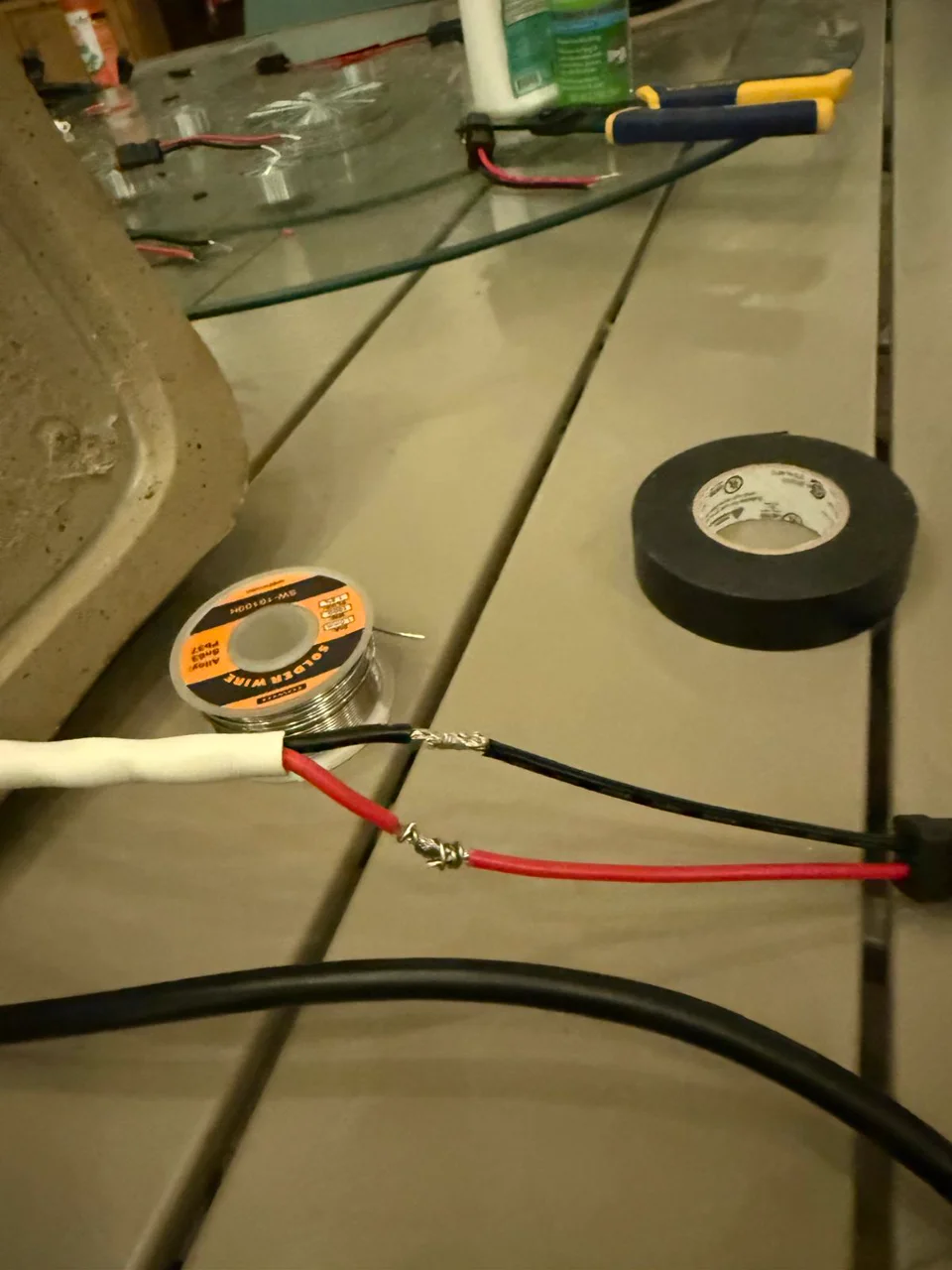
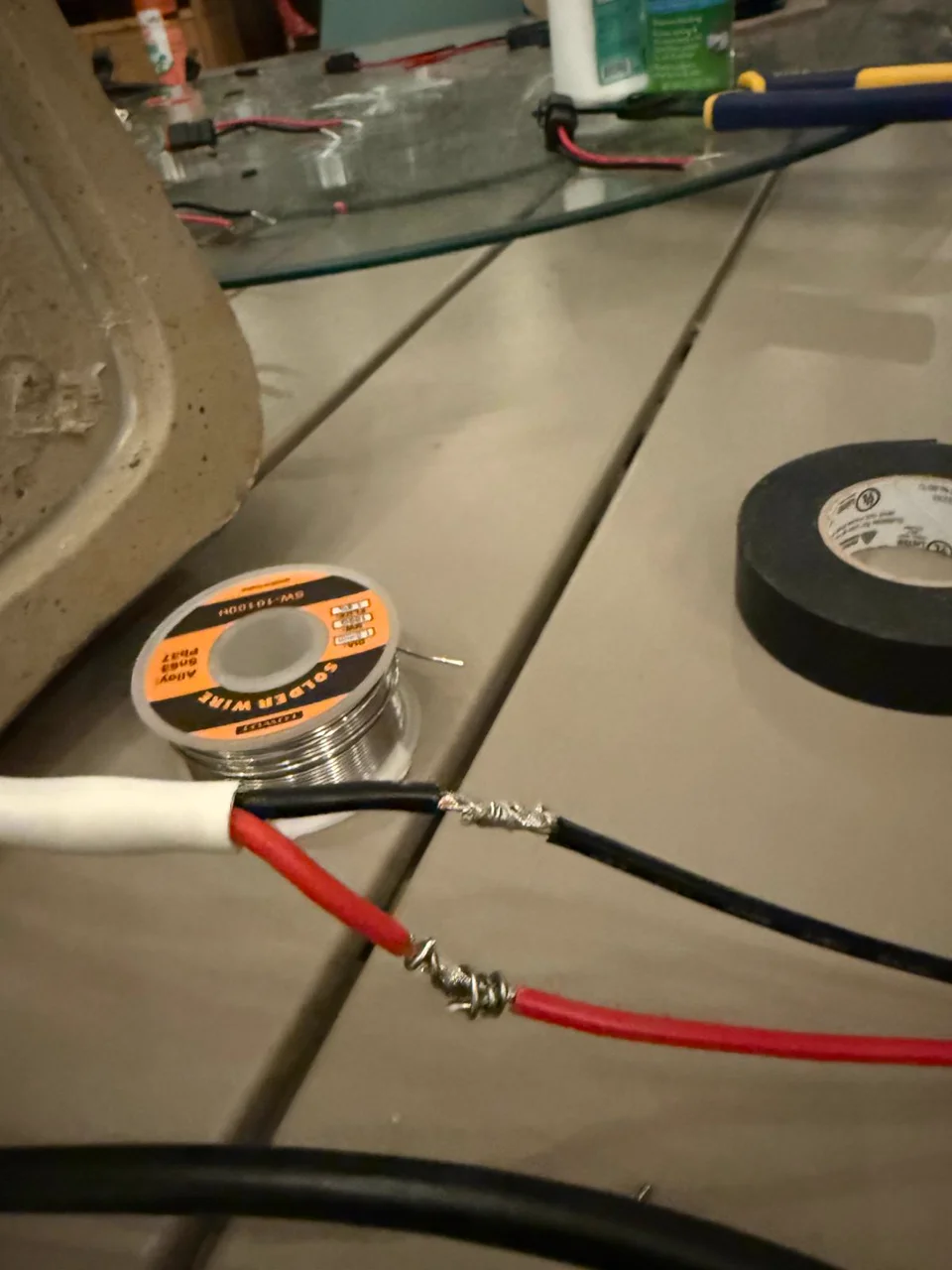
Closer views of the speaker wiring in progress. Tap either photo for the full-size view.
Seeing what the Pi is doing
I also built a dashboard to control the setup and monitor the Pi remotely. It shows CPU, memory, and disk use, along with connection information and diagnostics. I can adjust the projection, sound, and wake settings from another device.
The dashboard controls the wake and idle behavior, too. I can choose the wake triggers, how long a face needs to stay in view, whether Raphael greets first or waits for someone to speak, and how soon he can greet again. Idle settings cover someone leaving, a conversation becoming inactive, or a goodbye. I can also wake him or send him idle manually.
While awake, Raphael listens and responds to the visitor. In idle, the face keeps animating while he waits for the next encounter. The timing rules let visitors finish speaking and Raphael finish his reply before an automatic idle transition.
That became useful as the experiments grew. When Raphael looks slow or doesn’t respond as expected, I need to see what the Pi is doing: whether it’s busy, whether the camera is finding someone, and whether the character is active or idle. Watching the face gives me the experience; the remote view helps me investigate what’s affecting it.
One camera isn’t giving me the experience I want
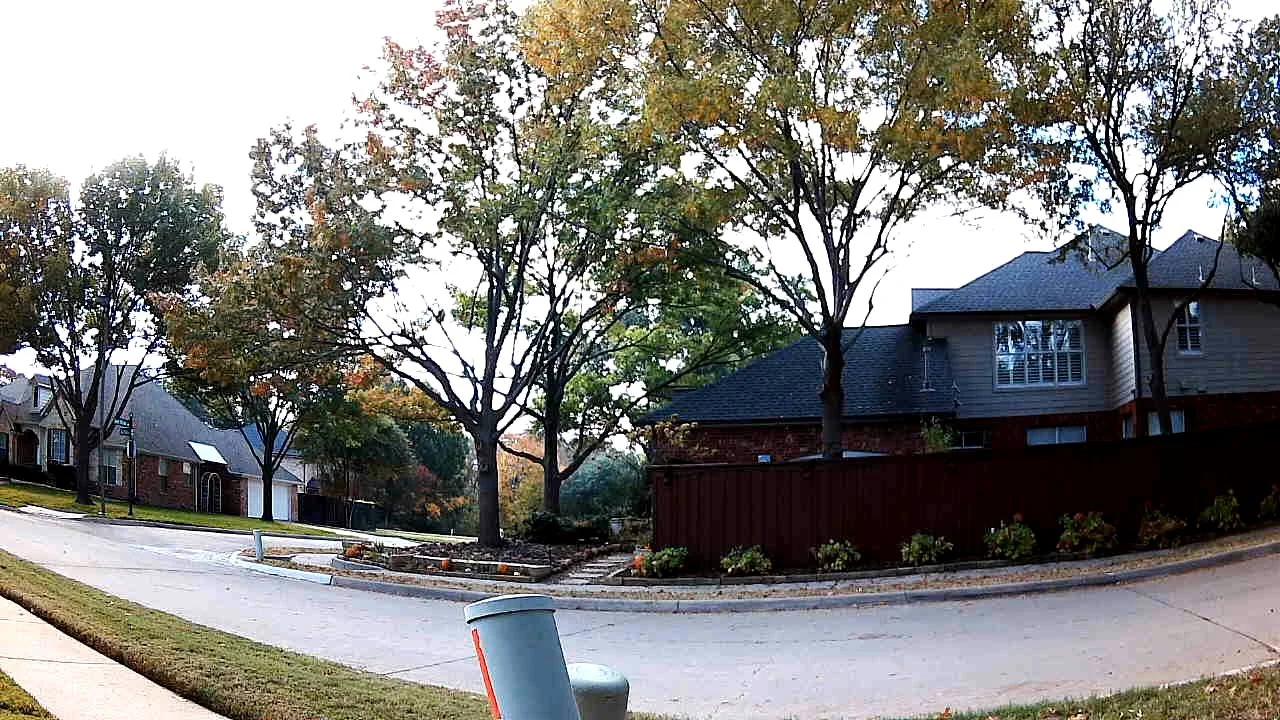
A daytime view from Raphael’s camera. The street is in frame, which helps explain why motion alone can trigger him when nobody has stopped to talk.
Right now, a single camera isn’t giving me a good experience. I’m realizing that two cameras, angled slightly outward, might work better. I’m waiting for the second one so I can try it.
The next camera test is about covering more of the space in front of the tree and combining the two views. That arrangement is still untested.
There are several different things I’ve been asking the camera to help with. Detecting a face can tell the character that someone is in view and guide its gaze. Face recognition tries to match that person with someone enrolled before. Camera activity can tell me that something in the image has changed.
Testing them has made the differences matter much more.
Deciding when to wake up
Earlier, I was considering turning face recognition off and using motion alone. After more tests, camera activity hasn’t been a good enough wake signal for this setup. A passing car can change the image and trigger the character, even though nobody has come over to talk to it.
Face detection has been more reliable after some tweaking. I had to check the brightness of the detected face regions and their dimensions to reduce false positives. A candidate now needs to meet a minimum face size relative to the frame and a brightness threshold, along with the detector’s confidence check. That gives me more useful control over which detections count as someone being there.
Detecting a face and recognizing a person remain separate jobs. The first can wake Raphael without needing to know anyone’s name. I also added OpenCV SFace for face recognition, to compare a visible face with people enrolled before.
In my tests, recognition worked really well with good lighting. I can see it being useful in another setting. This projection, though, is meant to be enjoyed in the dark. With the IR camera and the distance between the camera and visitors, recognizing people has been less reliable in this setup.
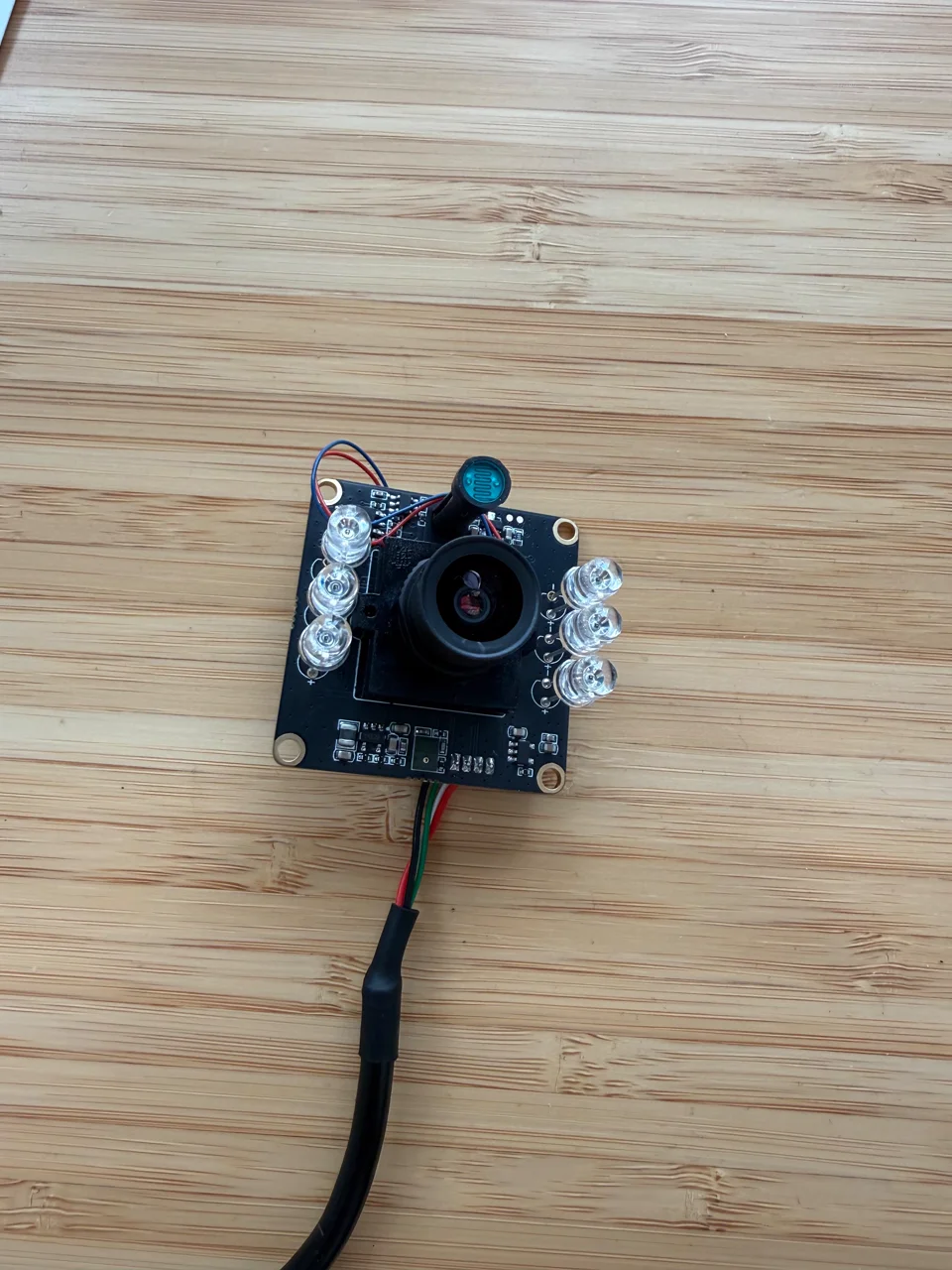
The camera hardware from the low-light experiments.
Face detection handles presence and gaze without needing a name. Recognition adds identity and memory for returning guests. Given the lighting and distance limitations, I’m still considering whether to keep recognition enabled here.
The wake and idle logic turns those detections into an encounter: greeting once, listening through pauses, and ending the visit when the configured idle conditions are met.
Connecting Raphael to the house
Raphael currently has access to selected controls in my Home Assistant setup through MCP tools. I choose which actions are available to the character and this installation.
The porch lights are one example. When someone shows up and Raphael wakes, the system gradually brings the lights up. When he goes idle, it lowers them again. That arrival and idle behavior is an automatic rule using the permitted lighting integration; Raphael can also use the allowed lighting tool during a conversation.
It makes the encounter extend beyond the projected face. The tree looks toward someone, the porch gets brighter, and the space is ready for a conversation. When the encounter ends, the lights settle back down.
Recording the interaction is getting in the way
I added interaction recording on the Pi to review what the camera saw, what Raphael was doing, and how the conversation went. The recordings work, but making them slows down the animation. That is the current performance bottleneck.
This is different from filming the tree with my phone, as in the clip above. Here, the Pi itself is saving camera video and a recording of the character’s display while it runs the experience.
In a live test, Raphael replied but looked laggy with recording enabled. With recording off, he replied and looked smoother. That gave us something concrete to investigate. A playable recording wasn’t enough if making it spoiled the interaction happening in front of me.
We tried moving the camera-frame work into a separate browser worker so it wouldn’t hold up the thread animating Raphael. That helped in some measurements, but my next speech test still felt laggy. One initially promising average also included time before recording had started. Looking only at the active recording period changed the conclusion.
Then we separated the jobs: audio alone, camera video alone, screen recording alone, and both videos together. In those tests, screen recording caused the larger slowdown, with camera recording adding more load. The Pi was running close to its available CPU capacity. Moving work to another thread could help it take turns better, but it couldn’t give the machine more capacity.
We also tested screen recording at 5, 10, and 15 frames per second, keeping the live display unchanged. Lower rates reduced the screen recorder’s CPU use, but none made the whole setup smooth enough. The camera-worker version improved animation measurements, but saved fewer camera frames. That’s a tradeoff to understand, rather than a finished fix.
We built an opt-in prototype that separates capture from final compression. It saves frames and audio locally during a visit, then runs native FFmpeg compression while the character is idle. Activity pauses compression; returning to idle resumes it. Automated checks cover that pause/resume behavior, storage limits, restart recovery, and playable output files.
Keeping the recording local matters because I can’t rely on the network to carry a live video stream elsewhere for processing. Uncompressed video grows quickly, and writing it still takes work. The prototype caps the recording queue and disk use, stopping recording if those limits are reached so the conversation can continue.
The camera-only Pi test completed capture and idle compression, and confirmed that the encoder paused when activity was signalled. It measured about 29.5 animation draw submissions per second, while saving about 6.2 distinct camera frames per second. That test used synthetic silent audio and had no active HDMI display, so it doesn’t establish how the full camera, screen recording, and live speech combination performs. The prototype remains opt-in while that comparison is pending.
Raphael already greets people, follows them with his eyes, carries on a conversation, and brings the porch lights up for an encounter. The current work is making interaction recording fit within the Pi’s resources while keeping those movements and conversations smooth.